A Transformative Experience
Awaken Your Quantum Consciousness
The QuantumCube Experience — 18 Destinations. 40 Zones. Infinite Possibility.
Where Consciousness Meets Technology — A Transformative Journey Through the Multiverse
By Chas Ellis (Fuantum) · UniBiTri Proportions · Copyright 2025
18
Destinations
40
Zones
12
Operational Modes
What is QuantumCube?
QuantumCube is a groundbreaking Windows application that merges ancient spiritual wisdom with modern interactive technology. Drawing from G.I. Gurdjieff's Fourth Way teachings, it creates a living digital cosmos where consciousness, energy, and creativity intersect.
Navigate 18 unique Destinations, interact with 40 philosophical and spiritual figures, manage a complex hydrogen economy, and create art—all while exercising the deepest faculties of your mind and spirit.
"More than an app — it's exercise for the spirit and mind."
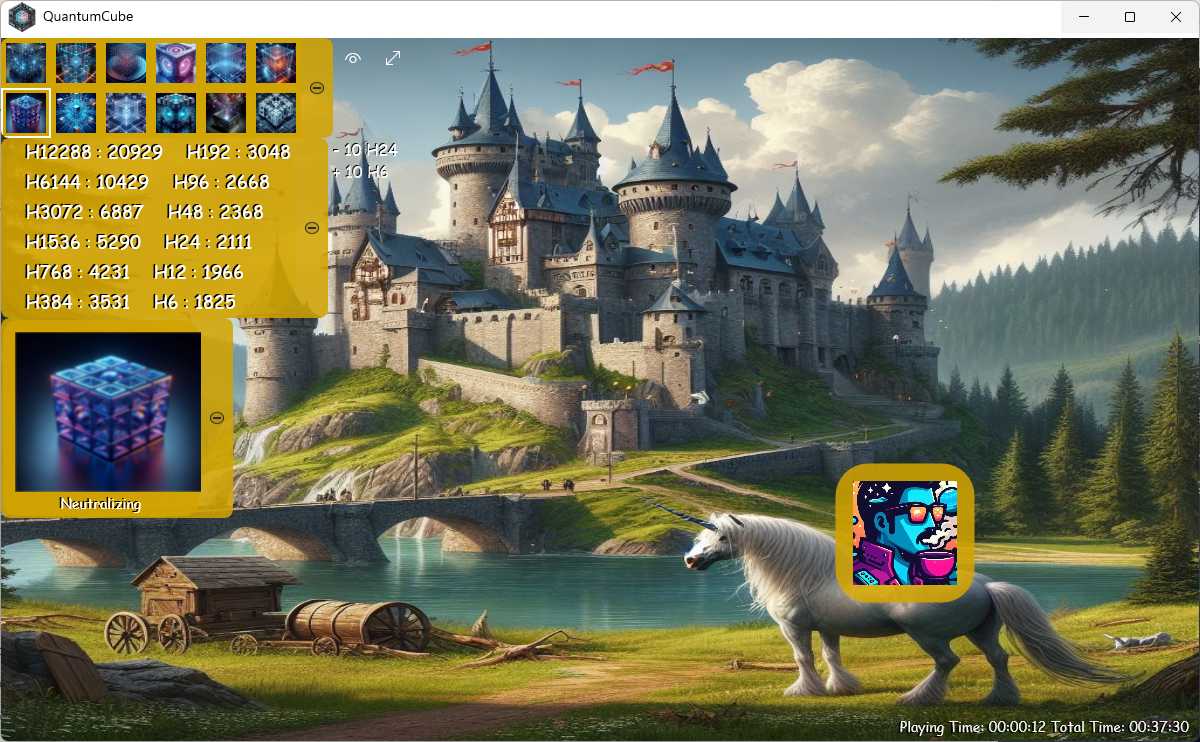
Castle Rigby Destination — Neutralizing Mode with a unicorn and the QuantumCube interface overlay
Ancient Wisdom · Modern Application
The Fourth Way Philosophy
QuantumCube is built upon G.I. Gurdjieff's transformative Fourth Way system — a path to awakening that synthesizes body, emotion, and mind.
The Fakir
Path of the Body — mastering physical will and endurance through extreme discipline.
The Monk
Path of Emotions — devotion, faith, and the refinement of feeling through prayer and surrender.
The Yogi
Path of the Mind — knowledge, study, and intellectual mastery over consciousness.
"Man is a machine — the goal is to wake up."
— G.I. Gurdjieff
The Fourth Way unifies all three paths. Rather than retreating to a monastery or sitting on nails, the Fourth Way practitioner works on body, emotions, and mind simultaneously — in the midst of ordinary life. QuantumCube maps this system into an interactive cosmos: each destination, zone, and hydrogen represents a facet of conscious evolution.
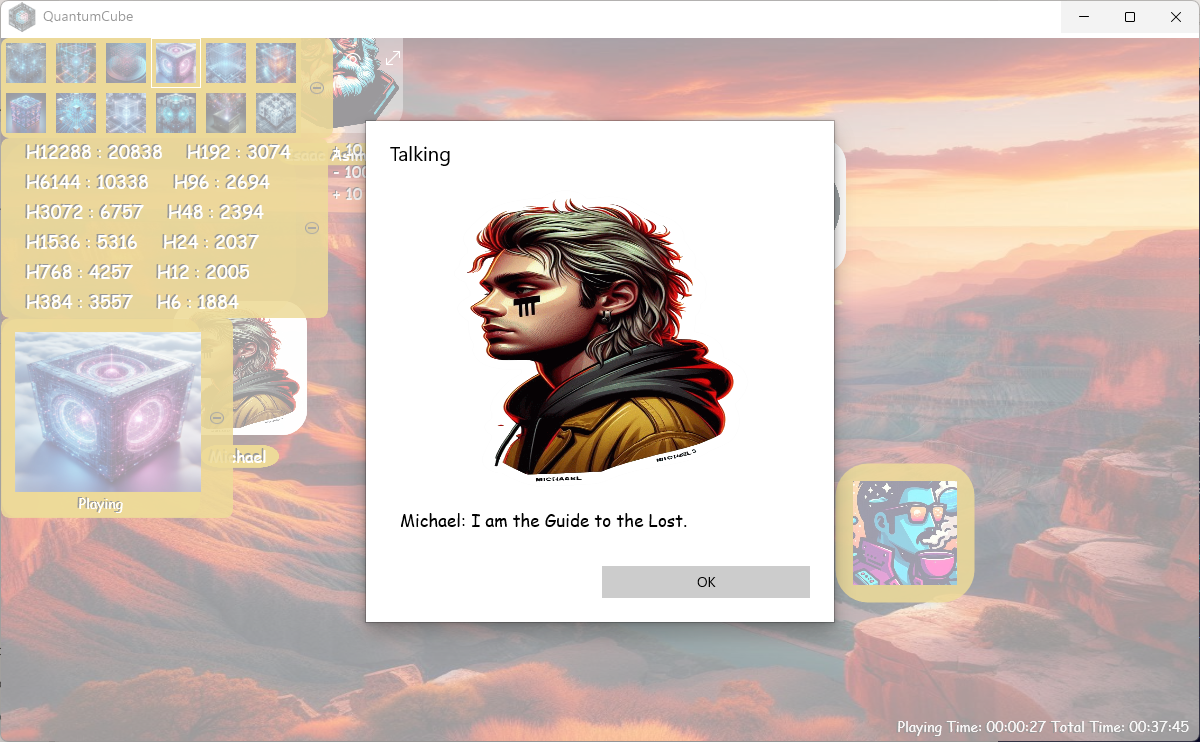
Michael talking dialog — "I am the Guide to the Lost"
12 Keys to Consciousness
The 12 Operational Modes
Each mode unlocks a different dimension of interaction. Press F1–F12 to shift reality.
The Alchemy of Consciousness
The Hydrogen System
In Gurdjieff's cosmology, "hydrogens" represent substances of varying density and refinement. From dense metal to divine thought — each hydrogen fuels a different quality of experience.
Transmutation Example
1 H12288 : 2 H6144 : 4 H3072
Energy subdivides as it refines — doubling in quantity, halving in density.
1x and 4x become 2x, 1x and 2x become 4x, or 2x and 4x become 1x.
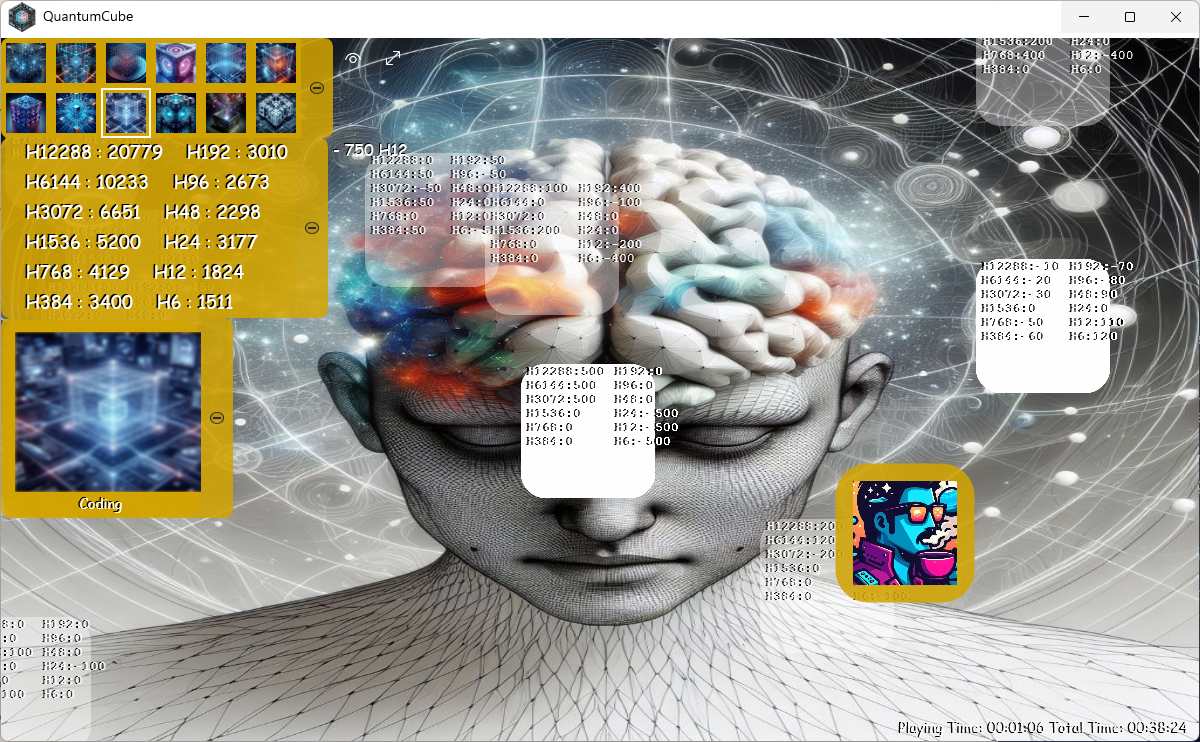
Mind Destination — Coding Mode showing hydrogen levels across all connected entities
Explore the Multiverse
18 Destinations Await
Each destination is a world unto itself — with unique atmosphere, inhabitants, and lessons.
Your Inner Cast
Meet the 40 Zones
40 philosophical, spiritual, and historical figures await your interaction.
Soundscapes
Set the Mood
Choose from 15 immersive soundscapes. Each track transforms the atmosphere of your destination. Text-to-Speech works simultaneously with any track.
Creative Canvas
Graffiti View
Express your creative vision directly onto the destination canvas. Graffiti View transforms QuantumCube into a living art studio where every stroke costs hydrogen — making each mark a conscious choice. Draw lines, circles, squares, rectangles, and text onto the canvas.
Collaboration
Drawing appears in real-time for all users on the same destination while connected. Graffiti is stored per destination on both QuantumCube and QuantumCube Server.
Hydrogen Color Costs
Controls
Touch: Pinch-to-zoom, two-finger scroll & rotate
Mouse: Shift to scroll, Ctrl to zoom, Ctrl+Shift to rotate
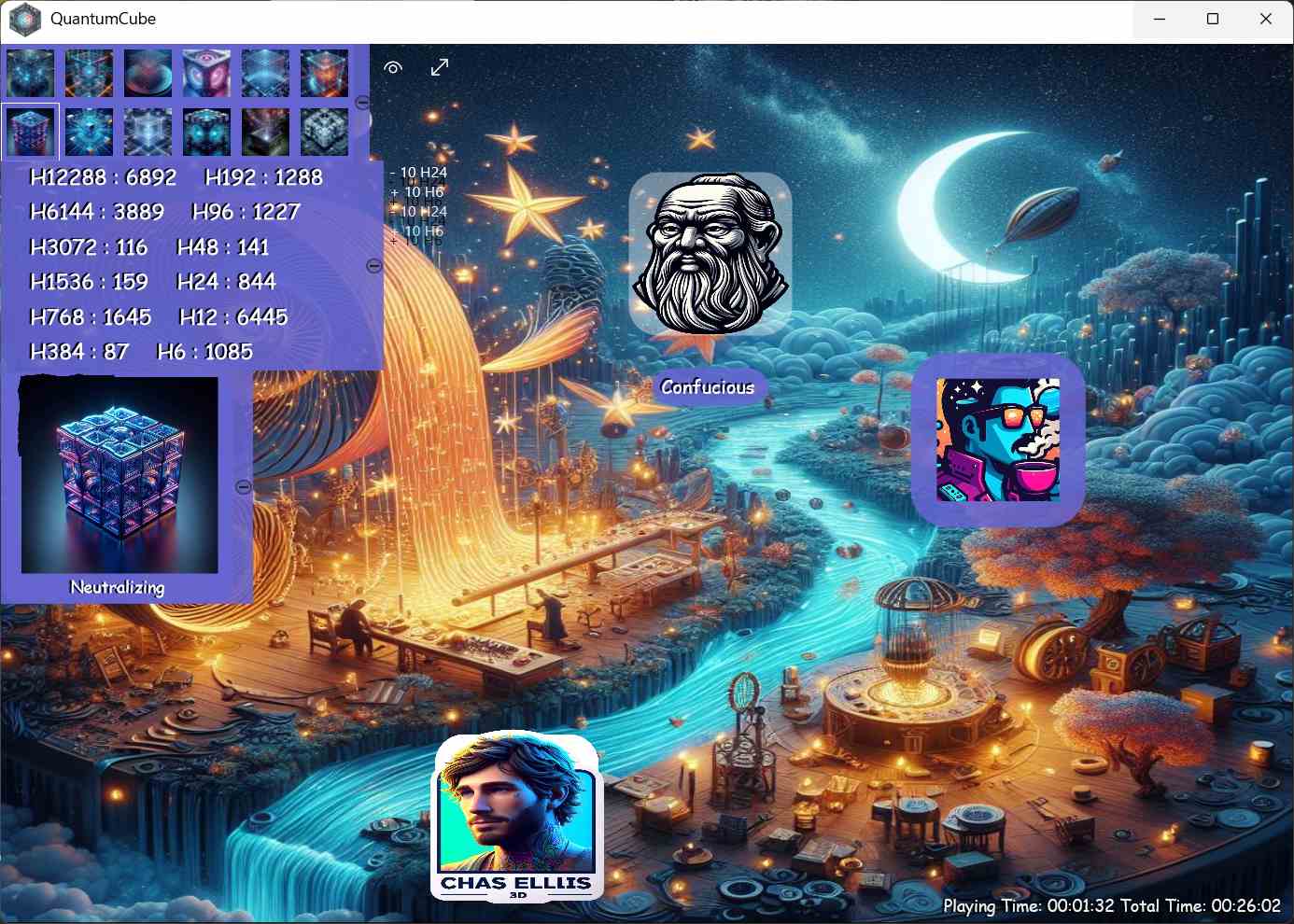
Moonlit dreamscape destination — Confucius zone character in Neutralizing Mode
Social Gateway
Connect Across the Cosmos
QuantumCube supports multiplayer via a dedicated server. Share destinations, chat, and collaborate in real-time.
Webcam Sharing
Share your camera feed with other connected users in real-time.
Audio Push-to-Talk
Hold to speak — communicate directly with other users via voice.
Global Chat
Text chat with everyone on the server, or send private messages.
Server Commands
| Command | Description |
|---|---|
| /u | List server users |
| /b (user) (message) | Private message |
| /g (message) | Global message to all destinations |
| /a (message) | Server-wide announcement (Operator only) |
| /kick or /k (name) | Kick/ban a player (Operator only) |
Setup Steps
- 1Install QuantumCube Server on a separate PC
- 2Configure network and port forwarding
- 3Share the server IP with friends
- 4Connect via F11 Communicating mode
Requires a separate PC. Windows 11 Home = 20 connection limit.
🛡️ Elevated Powers
Operator Mode
Elevated powers for server hosts
Operator Mode is enabled per account in QuantumCube Server's Accounts view. Once granted, operators gain powerful server-side tools from the client.
Content Control
Create and remove destinations and zones directly from the client side while connected.
Moderation Commands
/a (message) for server-wide announcements. /kick or /k (name) to kickban any player.
🔗 Portals Between Worlds
Link Ladders
Portals between worlds — and servers
Link Ladders are an exciting feature that lets you create navigational hubs within QuantumCube, connecting locations and even bridging to entirely different servers.
Create Portals
Create an object and configure it as a link ladder pointing to a location or another server entirely.
Build Locations
Create locations — dedicated spaces without zones but with objects and other clients — as waypoints.
Chain Servers
Leave link ladders active to chain servers together. If connected to another server, you'll be transported there seamlessly.
Your First Steps
Begin Your Journey
Download
Get QuantumCube from the Microsoft Store.
Launch & Explore
Try the 12 modes (F1–F12) to discover your powers.
Choose a Destination
Start with "Lake Imagine" for a tranquil first experience.
Interact & Create
Talk to zones, manage hydrogen, and paint with Graffiti View.
QuantumCube Server requires installation on a SEPARATE PC — Microsoft policy prevents self-connection on a single device.
System Requirements
Windows 10 v17763+ / Windows 11
Devices: PC, Mobile, Surface Hub, HoloLens
QuantumCube: 108.9 MB | QuantumCube Server: 66.6 MB
Touch + Camera recommended
Quick Reference
Keyboard Shortcuts
Movement
Modes
Interface
Zone Interactions
Other
🎮 Full Controller Support
Gamepad Controllers
Full controller support — navigate the multiverse without lifting a finger from your pad
Buttons & Triggers
Talks to, jokes with, interacts with, or evolves a zone (depending on mode). In Projecting Mode: Attracts All. In Communicating Mode: pulls an Event.
Drops 25 random hydrogen in Manifesting Mode. Creates an object in Projecting Mode. Plays/stops a random music track in Playing Mode. Repulses All in Pulsating Mode. Opens Connect menu in Communicating Mode.
Selects a random mood in all other modes.
Opens/closes the Camera. Goes to Servers View in Communicating Mode. Picks up objects in all other modes.
Opens Microphone in Playing Mode. Opens Server Registry in Communicating Mode. Carries/steals nearby objects in all other modes — drops when released.
Returns to the main view from other views.
Opens a context-dependent menu over the QuantumCube.
Sticks, Shoulders & D-Pad
Moves the player avatar around the destination.
Push-to-talk online (hold down to talk).
Activates hydrogen selection (shown in gold in the Hydrogen toolbar).
When activated — selects and holds to manifest hydrogen. The longer you hold, the more you manifest.
Maneuvers through the QuantumCube modes.
Toggles Draw (Graffiti) Mode.
Opens a context-dependent menu over the QuantumCube.
Change destinations (left goes back, right goes forward).
Graffiti Mode — Gamepad Controls
Graffiti ModeWhen Graffiti View is active, the face buttons become your art tools. Hold any button down to use the tool.
Stylus
✏️
Line
╱
Circle
⭕
Rectangle
▭
Eraser
🧹
Activate Tool
Hold any button to use
🚀 On the Horizon
What's Next for QuantumCube?
As of June 2025, QuantumCube offers robust exploration and multiplayer features, driven by its hydrogen system and customization tools.
More Graffiti Tools
Expanded drawing capabilities coming to Graffiti View.
New Destinations & Zones
More prebuilt destinations and zone characters in development.
Enhanced Server Stability
Ongoing improvements to server performance based on user feedback.
Bugs are being fixed continuously. Active development is ongoing.
Contact for feedback: fuantum@hotmail.com · unibitri_proportions@outlook.com
Ready to Awaken?
Your journey through the multiverse begins with a single step.
Download QuantumCube Download QuantumCube ServerWebsite: UniBiTri Proportions
https://www.unibitriproportions.com
Contact: fuantum@hotmail.com · unibitri_proportions@outlook.com
Copyright © 2025 Chas Ellis / UniBiTri Proportions. All rights reserved.